Content
Logo
Presets
Ocean Breeze
Retro Sun
Forest Whisper
Minimalist Dark
Royal Gold
Cyber Punk
Your Presets
Shapes & Colors
Enable Gradient
Appearance
Reset Controls
Preview
QR Info
QR Type:URL
Scannability:Checking...
Generate custom, branded QR codes that capture attention and boost interaction—fast, smart, and built for maximum engagement.
A QR (Quick Response) code is a type of two-dimensional matrix barcode, invented in 1994. Unlike a standard barcode, it can store significantly more information, including URLs, text, contact information, and more.
When scanned with a smartphone camera, a QR code provides instant access to its encoded data, creating a seamless link between a physical object and a digital destination.
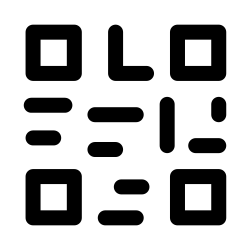

A QR code works by encoding data into a specific pattern of black and white squares. Key components of the pattern include:
Positioning Markers: The three large squares in the corners tell the scanner the code's orientation.
Data & Error Correction: The smaller modules store the actual data and include redundant information, allowing the code to be read even if it's partially damaged or obscured.
Your phone's camera acts as a scanner, identifying these patterns, decoding the data, and presenting the information to you in a usable format.
Standard QR codes are functional, but they don't capture attention. Our generator empowers you to create visually striking codes that align with your brand identity, increasing scan rates and making a memorable impression.
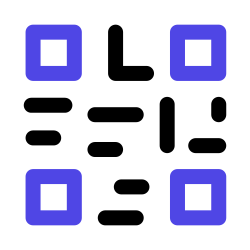
With our advanced tools, you can modify colors, add gradients, embed your logo, and even change the shape of the dots and corners to create a QR code that is uniquely yours and ready for any campaign.
Our intuitive interface makes the entire process fast and effortless. Go from idea to downloadable QR code in under a minute.
Select the type of information you want to share—a website URL, Wi-Fi credentials, a vCard, plain text, and more.
Bring your QR code to life. Adjust colors, change shapes, and upload your logo for a fully branded look.
Get your high-resolution QR code instantly in SVG or PNG format, ready for print, web, and all your marketing materials.

Unlike many online tools, our QR Code Generator operates entirely within your browser. This means your sensitive data—whether it's a URL, a Wi-Fi password, or personal contact information—is never sent to our servers.
We do not track, log, or store any of the QR codes you create. What you generate is for your eyes only, ensuring complete privacy and peace of mind.
QR codes are versatile tools for marketing, networking, and customer engagement. Here are just a few ways you can use them.
Link print ads, flyers, and posters to landing pages, video demos, or exclusive discounts.
Embed a vCard on your business card to let new contacts save your details with a single scan.
Allow guests in your cafe, office, or home to connect to your Wi-Fi without typing passwords.
Link directly to payment portals, crypto wallet addresses, or donation pages for seamless transactions.